By Brian Matiash, Photographer
Hello. My name is Brian and I love HDR.
Ok. It has been said. So, what do we do now? Well, I figure that if you're going to obsess about doing something, at least obsess about doing it the best that you can. And that is what my hope is with this post - to share the knowledge that I've picked up over the years shooting brackets for HDR imaging.
I recently had the opportunity to present on HDR Photography to a group of photographers and one part of my presentation dealt with the best practices that I follow every time I go out to shoot for HDR, as well as when I'm at home processing the shots. It turned out that this part of the presentation was very well received and so I figured that it might help to share these tips here.
This particular post will focus on tips that I've learned while out in the field. I hope it all helps. Feel free to leave a comment or reach out if you've got any questions.
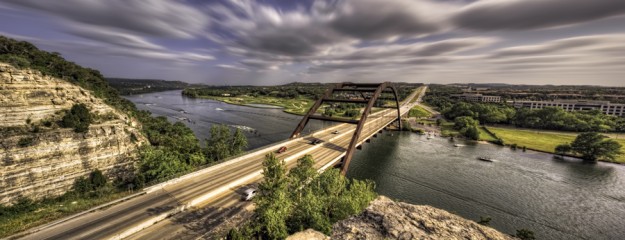
Best Practice #1: Know What HDR Is
I think that it's generally a good practice to know what it is that you are about to engage in before actually engaging in it. Without rehashing the plentiful (and often very helpful) tutorials out there that define what HDR imaging is, here is my take: the dSLR cameras on the market today are pretty amazing and can do plenty to capture beautiful images. Still, they are limited in how much dynamic range can be captured in a single exposure. At a superficial level, the dynamic range of an image is all of the information in a scene that ranges from the darkest shadows through the mid-tones and into the bright highlights.
The typical dSLR camera will be able to capture most of this detail when there isn't too much dynamic range, say in a living room during the night and lit with various lights. However, come back to this room during high noon and draw the shades open and now you've got a scene that has a ton of dynamic range. With your camera and a single exposure, you basically have to pick and choose what will be metered and exposed for and sacrifice the rest of the scene. Choose to expose for the interior and watch as the outside detail resembles something of a nuclear holocaust of blown out information. Have a change of heart, choosing to meter for the exterior, and the living room will likely be underexposed and barely visible. Now, I understand that you can lug around strobes, modifiers, power supplies and the works to get proper exposure for the whole scene but you'll probably be better off hitting up some other sites if that is the case.
Continue reading →