Luxe Prints APC
1-800-311-5893
  • My Account
  • My Cart
  • Checkout
  • Log In
  • Order Prints
  • Home
  • The APC Difference
  • Options
  • Prices
  • Reviews
  • Home /
  • Blog /
  • Events

Events

  • Thanksgiving Wishes from Artistic Photo Canvas

    November 26, 2013 Deals, Events Write Comment

    Happy Thanksgiving from Team APC! We’re eternally grateful for your business and ongoing support, and hope you enjoy a festive day filled with family, friends, great food — and lots of picture taking!

    You’re invited to spend a small part of your Thanksgiving Day and “Cyber Weekend” with our family — creating gifts from the heart for everyone on your holiday list. And in the spirit of merry-making and money-saving, here’s a preview of our most anticipated sale of the year… Continue reading →

  • Photoshop World Tweetup Photos Available as Canvas Prints

    April 6, 2011 Deals, Events Write Comment

    For the first time, high resolution versions of the Photoshop World Tweetup images created by photographer Erik Valind are available for purchase as souvenir canvas gallery wraps from Artistic Photo Canvas.

    PSW revelers are invited to explore the Orlando 2011 Tweetup image gallery and create superior quality canvas mementos of the good times had during the conference.

    For a limited time, APC is offering images from the collection as thick gallery wraps measuring 6¨ x 9¨ for just $25! This special promotion comes with free shipping within the continental U.S.

    Canvases can be ordered with or without the Tweetup/Adobe watermarks.

    To create souvenir canvases, simply note the unique three digit Image I.D. located at the end of the caption beneath each image in the gallery below. (Click on the thumbnails to see the Image I.D.s) Then follow the easy ordering instructions on the Tweetup canvas order page at APC. [nggallery id=3]

    Special thanks from Team APC go to Erik Valind and David A. Rogers for the amazing job they did capturing the fun of the evening in photos – and for the post-processing required to make the souvenir canvas promotion possible.

  • PSW Class Notes: Tweeting & Blogging for Photographers

    April 5, 2011 Events, Tips & Tutorials Write Comment

    By Chris Stampar

    Hey everyone! Hope you all got home safely from Photoshop World. It was a hectic week but I know we all had a blast. For those of you that stayed home, thanks once again for tuning into our coverage here on the The Photo Canvas Blog. We really appreciate it and hope it's been helpful!

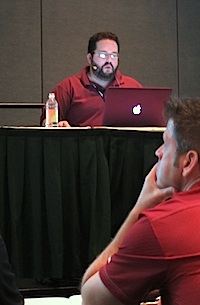
    Rod Harlan was the instructor for the "Tweeting with Authority" session at Photoshop World, March 2011After my sessions with Joe Mcnally Thursday morning I headed to hear a series of talks on social media and blogging. The first was a session called "Tweeting With Authority" by Rod Harlan, wherein he discussed various aspects of how Twitter functions – as well as third party resources. The first key discussion point was understanding that Twitter is all about dialogue. It's not a one-way street; the beauty of the network comes from the interaction between vast ranges of individuals. You have to engage with your audience, and the more you do so the more connected you and your audience will feel. If you work to create a truly personal and beneficial relationship between you and your followers, then you will see the benefits that Twitter has to offer at their greatest potential.

    One of Rod's personal tips was to only use 115-120 of the 140 available characters on Twitter to allow space for people to retweet your post or add their own small thought. He also suggested that if you're lacking substantive or interesting material to tweet about, search through sites like Delicious or StuffToTweet to find neat links to share with your followers. Rod also mentioned several useful third party applications like CoTweet, which allows you to give several people access to the account, SocialOomph that will allow you to schedule tweets, and Untweeps which helps you manage who is following you so you can block spam.

    Blogging for Photographers, slide from the presentation at Photoshop World in Orlando, April 2011Directly following this session was a panel discussion hosted by Scott Kelby, Matt Kloskowski, and Richard Harrington entitled "Blogging for Photographers." Here Scott and the gang provided some very useful, concise pointers on blogging that I'd like to share. Firstly, its important to understand the power you stand to gain from blogging. Traditionally, sharing information with wide audiences was restricted to a small group of privileged individuals who had access to large publishing companies. However, with a blog, you now become your own publisher! You are free to share what you want, when you want, with whoever you want for virtually no cost. This is a tremendous opportunity for yourself or your business that the world has literally never experienced before. Take advantage of it!

    Once you get your blog up and running there are a couple important things to keep in mind. First is consistency. Make a plan. Decide on a reasonable schedule for how many times a week (three is a good starting place) you can absolutely commit yourself to posting, and stick to it. Readers like to have consistency because it gives them something to anticipate, and hence a reason to keep coming back to your site. Also make sure to try and add a photo to every post you make to keep things interesting. Even if you don't have photos laying around to post, you can easily find royalty/license free images online, or even spend a couple bucks to grab some from iStockPhoto.

    Richard Harrington, Scott Kelby and Matt Kloskowski, instructors of the "Blogging for Photographers" session at Photoshop World in Orlando, April 2011

    Most importantly, remember to be yourself. Find your own unique tone, style, or voice, be consistent, and in due time you can have a successful blog. Continue reading →

  • PSW Class Notes: Small Flash Basics & Hot Shoe Flash

    April 1, 2011 Events, Photography, Tips & Tutorials Write Comment

    By Chris Stampar

    Joe McNally lectures on Small Flash Basics at Photoshop World in Orlando, March 2011Joe McNally is the master of all things flash, so there was no way I could miss his speed light session at Photoshop World on Thursday morning. Joe's first class focused on getting the most out of one light, and the results are truly amazing. Often people think that to produce beautifully lit photos you need some seriously expensive studio equipment. But that's no longer the case; a small investment into a single speed light and some very cheap, or even DIY light modifiers, can go a long way.

    The first thing Joe pointed out were the three essentials of light: quality, color, and direction. In terms of quality, are we going to use a large, soft light source like an octabank, or will we only fire the bare bulb for harsh lighting effects? More importantly, what effect will that decision have on the mood or feeling of the photo?

    Next is color. Are you looking for daylight balanced flash for a natural look, or will you add a gel to give a colorful flare to your photos? Color is critical, and understanding color symbolism, or the mood that certain colors elicit, is even more beneficial.

    Joe McNally teaches Small Flash Basics at Photoshop World in Orlando, FL, March 2011And lastly, direction. Where will you place your light source and how will this affect your exposure, story, feeling, even composition?

    Joe of course also offered a couple of technical tips to boot. First, the closer the light source is to your subject, the bigger it is relative to the subject, and the softer the light will be. It's also important to understand the difference between exposure compensation and flash compensation. Changing your camera's exposure comp is a "global change" and will affect all aspects of the photo including the ambient light and the effect the flash has on your overall exposure. Changing your flash compensation however, only alters the amount of light that comes from the flash and not the overall exposure of the picture.

    Lastly, using flash is all about experimentation. Don't be afraid to make mistakes, just learn from them! Continue reading →

  • PSW Class Notes: Photo Retouching for Photographers

    March 31, 2011 Events, Photography, Tips & Tutorials Write Comment

    By Chris Stampar

    I attended Scott Kelby's session on Portrait Retouching at Photoshop World. As you could probably guess, it was awesome. Scott is one of the best teachers around. He's got such a relaxed and humorous yet informative teaching style.

    Here are some of the best tips I gleaned from the session:

    Scott puts a lot of emphasis on a model's eyes, and showed an easy way to remove red blood vessels in the eyes in Photoshop. First, choose a small soft brush, set it to 20% opacity, then sample the color directly next to the vein and just paint over it. That simple. Just always make sure you resample next to the vein you want to remove for the most accurate and realistic retouch. And if you think that the resulting texture is a little too unrealistic in the eye, just go to the filter menu, choose add noise, and brush in a little monochromatic noise into the retouched area of the eye for added realism.

    Another great tip for enhancing the eyes is to add an extra catchlight that looks like a soft reflection. Take your Elliptical tool and draw a small oval. Then cut out of chunk of the oval so you end up with a "crescent moon" shaped selection. Fill the selection with white, add a small blur to it in the filter menu, and set the blending mode to soft light. Position the shape appropriately in the eye, and now you have a nice kicker light effect to add a little pop to the photo.

    Moreover, Scott pointed out that you should start every retouch by first removing all blemishes on the subject before you try any other retouching techniques. This will lead to the best results after further retouching. Continue reading →

  • PSW Class Notes: Making an Online Portfolio

    March 31, 2011 Events, Photography, Tips & Tutorials Write Comment

    By Chris Stampar

    The first class I attended at Photoshop World was hosted by RC Concepcion and discussed how photographers can easily get their photos on the web without having to know any technical code. RC focused on some basic tips and ideas of website development as well as free resources on the web. For instance, you can create a full slideshow of your images for free by uploading photos to a set on Flickr, then clicking the "share" button in that set and copy and pasting the HTML code provided for you. You can then embed this full-fledged slideshow anywhere on the web for free, and only with the click of your mouse. No coding necessary! You can also easily leverage Flickr to generate traffic to your website/blog by tagging your photos with relevant tags (city, state, subject, camera, etc.) and including a link to your site in the caption. How easy is that!?

    If you would like to get a little more technical, the Google Chrome web browser includes some great development tools free of charge. Say you're previewing your website in Chrome, but would like to know what an element would look like if it were slightly larger. Instead of going into the files on your computer, changing settings, and re-uploading just to test something, you can preview any changes right in the browser. Simply right click on any element on your site and select "Inspect Element." A new window will appear with the source code of your site. Click the element you want to change and Google will highlight where the code is for that specific object. You can then change any of it's properties like width or height and you'll see those changes instantly in browser. This is a non-destructive, non-permanent way to quickly preview small changes before digging into to your website files and having to re-upload. My little tip is that you can also do this in Firefox with the free FireBug extension. Continue reading →

  • Photoshop World Keynote Merges Tech with Fashion

    March 30, 2011 Events Write Comment

    By Chris Stampar

    The Photoshop World Keynote kicked off bright and early this morning as hundreds of attendees lined up and poured through the doors. The Photoshop Guys did a hilarious spoof video called "Project Photoshop" that was brilliant as usual. There was even a full high fashion runway show featuring off the latest Photoshop fashion designs.

    Especially interesting was Adobe president Johnny L's presentation. Every year he shows off some great new technology that the geniuses at Adobe are working up. There was a clear focus on lens correction capabilities, wherein Bryan Hughes demonstrated how lens distortion in video can be corrected with a simple click all in Photoshop. He also debuted forthcoming technology that allows for user-defined, real time lens correction. This new feature allows a user to simply point at what individual features of a photo should be corrected and will instantly render those changes.

    Johnny also showed how Adobe is integrating tablets into Photoshop. In the "near term," the Apple iPad (other devices in the works) will tether directly inside of Photoshop and allow for control of the application, with a particular focus on color, right from your tablet. How sweet is is that?
    [nggallery id=1] Continue reading →

  • Big crowd, lots of action at the Official Photoshop World Tweetup

    March 30, 2011 Events Write Comment

    By Chris Stampar

    Hey everyone! Last night was the Official Photoshop World Tweetup at the Rosen Centre Hotel and it was a blast! We had Erik Valind taking great portraits of everyone who attended, he showed off an awesome workflow of shooting tethered into Lightroom 3 and uploading straight to Flickr for sharing, and we offered a great deal on beautiful canvas prints of the portraits from the night.

    A bunch of the Photoshop guys including Scott Kelby, Dave Cross, Corey Barker, and Matt Kloskowski stopped by. RC Concepcion and Larry Becker even filmed an episode of D-Town TV live at the event!

    According to Nancy Masse, NAPP's social media guru and Tweetup organizer, more than 400 people turned out for the party. We had a great time seeing everyone before the conference swings into to full effect, and gave away lots of cool swag. [nggallery id=2]

    High resolution souvenir photos of the Photoshop World Tweetup are available on canvas gallery wraps from Artistic Photo Canvas.

    Christopher StamparChristopher Stampar is an 18 year old photographer currently attending the University of Miami. He has an extraordinary passion for photography, travel, and social media, and loves to share and learn with fellow photographers. To read Chris’ personal blog about photography, pop culture and ideas, visit www.cstampar.com.

  • Photoshop World Booth Setup: Before & After

    March 29, 2011 Events Write Comment


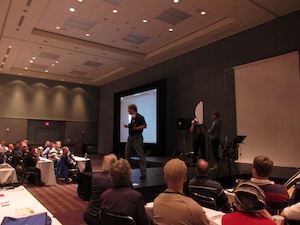
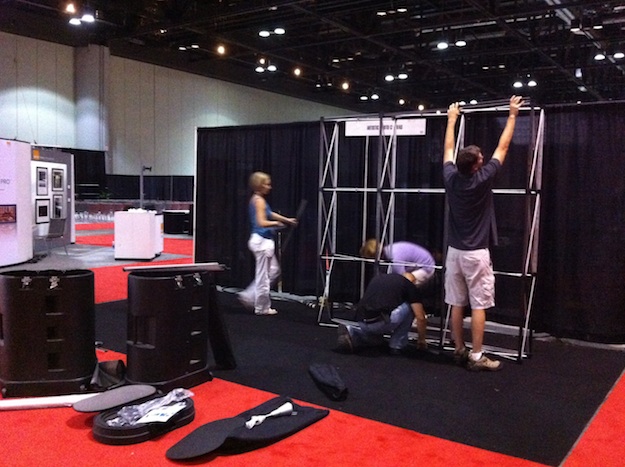
    The team at Artistic Photo Canvas begins booth setup at Photoshop World in Orlando

    Before:

    The nearly completed Artistic Photo Canvas booth at Photoshop World in Orlando.

    After:

  • At the PSW Tweetup, Everyone's a Rock Star

    March 26, 2011 Events Write Comment

    If you can juggle a Twitter-enabled smartphone, a cold brew, and perhaps some less-than-ergonomic APC swag – and you have no issues accessorizing with a stylish "Hi, My Twitter Handle Is…" sticker thingy – you're indeed ready for a night of fun and photography with the entire Photoshop World crew and a couple hundred of your closest new tweeps.

    Photoshop World Tweetup, Photos by Erik Valind - Las Vegas 2010

    An informal kickoff for the Photoshop World Conference & Expo, the Tweetup is a gathering of loud and proud Twitter-savvy conference-goers, instructors and exhibitors, all of whom know how to turn 140 characters into pure digital poetry – or not. The PSW Tweetup has quickly evolved into one of Photoshop World's most memorable events, the brainchild of NAPP's inimitable social media goddess, Nancy Masse.

    Save the date, Tuesday, March 29 at 7:30 PM, poolside at the Rosen Centre Hotel, for the Official Photoshop World Tweetup. Team APC will be there, all decked out. As if that isn't reason enough to show up, think of the Twitter followers you'll let down if you don't!
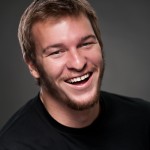
    Erik ValindBesides sharing cocktails and conversation with Scott Kelby (and more Photoshop gurus than you can aim a speedlight at), one of the coolest outcomes of past Tweetups has been the awesome souvenir photographs created by Erik Valind. As you can see from the previous Tweetup shots in this post, you'll definitely want to get your party on poolside and mug for this gifted photographer's camera.

    Once again, Erik (@ErikVPhoto on Twitter) will be at the Tweetup along with Adobe Community Champion David A. Rogers, transforming everyday folks like us into rock stars through the lens. (In the process, they'll be showing off a cool new lighting modifier from Westcott and the sleek tethering capabilities of Adobe Photoshop Lightroom 3. If you can stop guffawing at the inevitable photo shoot hi jinx along with the rest of us, you'll definitely pick up a nifty trick or two watching these pros in action.)

    Erik has always been generous about sharing the awesome photos he shoots during the Tweetups via Flickr and they get downloaded and shared like crazy because they capture some of the best memories made during Photoshop World. But this time he's raised the bar, teaming with Artistic Photo Canvas to offer high res versions as souvenir canvas gallery wraps. After Photoshop World wraps up, APC will be making them available at a ridiculously low price. We can't think of a better way for you to savor some really good times and for us to get a sample of APC's amazing canvas prints into your hands. We're jazzed to make it happen. Samples and details will be on display at the shoot.
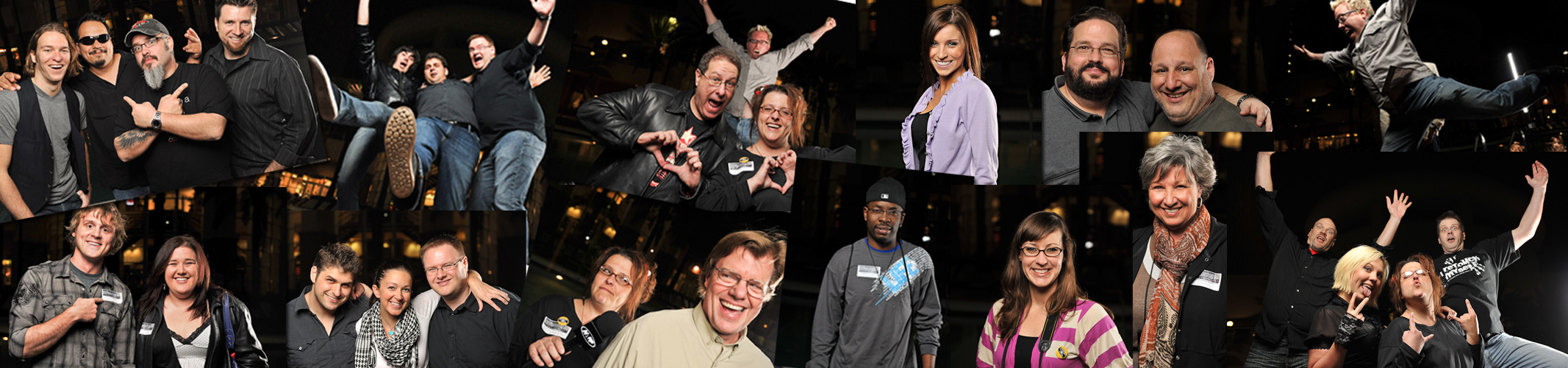
    Photoshop World Tweetup, Photos by Erik Valind - Orlando 2010

    Team APC will be going all out with cool take-home swag we hope will contribute to making this your favorite PSW Tweetup yet. Tweeting flattering stuff about us – @APCpro on Twitter – during the event won't hurt your chances of scoring some! <grin> See you poolside!

    Want to help spread the word about Photoshop World's premier social media event? Tweet this post to your followers using the "retweet" button at the top of the page. And why not chime in with your own Tweetup memories and musings by posting a comment below?

Items 1 to 10 of 15 total

Page:
  1. 1
  2. 2
  3. Next
Search
Recent Posts
  • Wild Wednesday: Red-Eyed Tree Frog
  • In the Limelight: Lou Newman
  • In the Limelight: Nick Nieto
Categories
  • Art
  • Contests & Giveaways
  • Deals
  • Events
  • Inspiration
  • Musings
  • Photography
  • Polls
  • Tips & Tutorials
  • Unboxings
Canvas Prints and Gallery Wraps from Artistic Photo Canvas
Tags
  • Christmas
  • Collage
  • Corey Barker
  • holiday
  • humanitarian photography
  • In The Limelight
  • landscape photography
  • LayersTV
  • nature photography
  • NYC skyline
  • panorama
  • photo collage
  • RC Concepcion
  • shipping
  • travel photography
  • Tutorial
  • wild wednesday
  • wildlife photography
APC on Facebook
APC on Twitter
Follow @APCpro
My Cart

You have no items in your shopping cart.

Order Prints
ARTISITIC PHOTO CANVAS
  • Contact Us
  • About APC
  • Options
  • Prices
  • Ideas & Inspiration
  • The APC Difference
  • Photo Canvas Blog
  • Testimonials
  • ProZone
  • Gift Cards
  • Privacy Policy
Tweets about APC
    Get in touch

    Need help?  Call us!
    Monday-Friday 10am-5pm Eastern
    1-800-311-LUXE

    Socialize with us
    • Subscribe to our Blog
    • Connect with us on Facebook
    • Follow us on Twitter
    • See some cool photos
    • See some cool videos

    Copyright © 2005-2026 Luxe Prints LLC. All rights reserved.   Terms of Use

    Credit Cards